
Use this guide to migrate to the latest version of our Salesforce integration, if you have already installed our V1 package
Note: Any packages prior to V2.x will become unsupported from 16th September
Note: This is a migration guide for customers who have the Salesforce integration already configured. If you have not yet installed the Summize Salesforce integration in your Salesforce environment, follow this full setup guide instead
Skip to:
Introduction
Upgrade to the Latest Package
Adding Custom Settings
Updating the Summize Widget on your Salesforce Pages
Introduction
Our latest Salesforce integration package, Version 2 (V2), brings enhanced functionality and numerous benefits, including:
- New Account/Opportunity Page Widget: View related Repository contracts directly within Salesforce. See widget descriptions in this section below.
- Enhanced Data Mapping: Map data from a Repository contract's clauses and custom fields back to Salesforce Opportunities. See guide here.
- Summize App Integration: Access the full Repository, Request Table, and Request Analytics directly through the Summize App. See guide here.
- Centrally Configured Settings: settings are now configured centrally, instead of per widget, saving time during setup.
If you're unsure which version of the Summize package you’re currently using, navigate to Setup > Platform Tools > Packaging > Package Manager to find your application number.
Migrating to V2 is straightforward and should only take a short amount of time. Any mapped fields already in use will carry forward and will not need to be re-mapped.
Upgrade to the Latest Package
Click the link at the top of this page to access the latest version of the Summize package.
You should then be able to click 'Upgrade' as shown in the screenshot below:
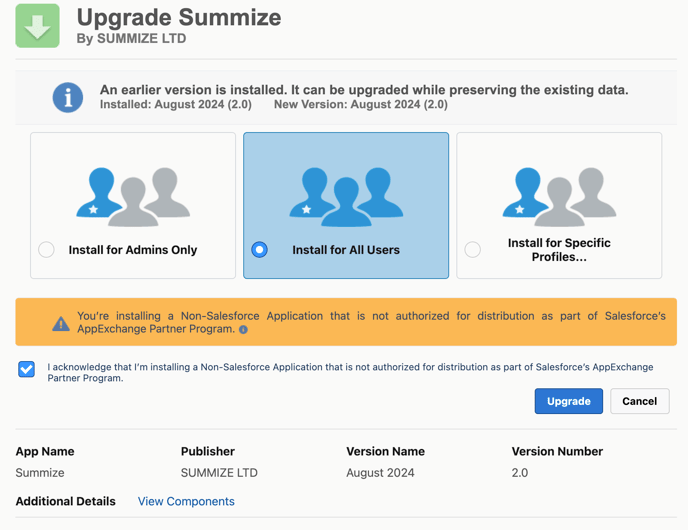
This will upgrade your installed package to the latest version.
Adding Custom Settings
- To point the Summize package to your Summize account, go to Settings > Setup
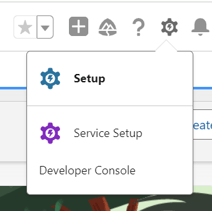
- Under Platform Tools in the left hand menu, go to Custom Code > Custom Settings
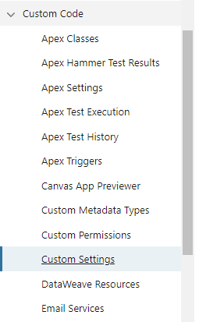
- Go to Summize Settings and click 'Manage'
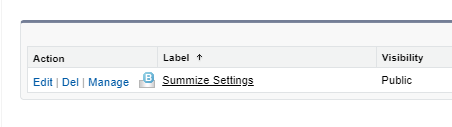
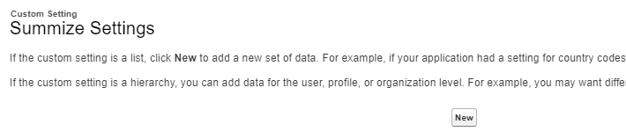
- Click 'New' at the top of the screen
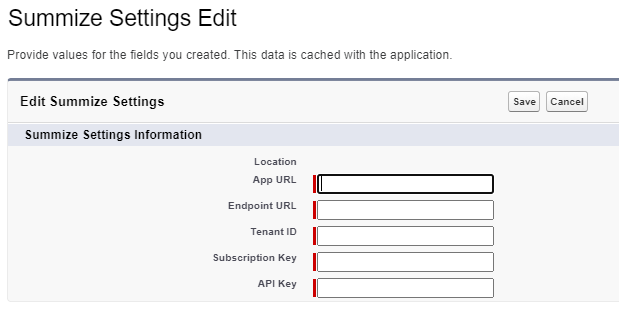
- On the following screen, you will be presented with fields to be populated with Summize values:
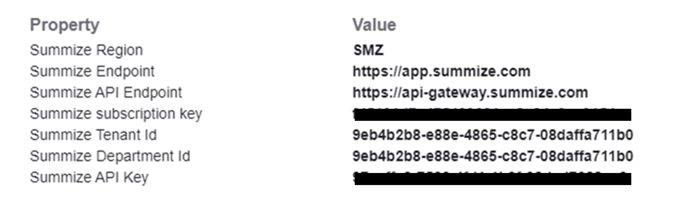
- In another tab, open the Summize web app and navigate to Settings > Integrations > Salesforce and click the link to the guide:

- Copy and paste the values at the end of the pop-up window into the corresponding fields in Salesforce:
- Once done, click 'Save':
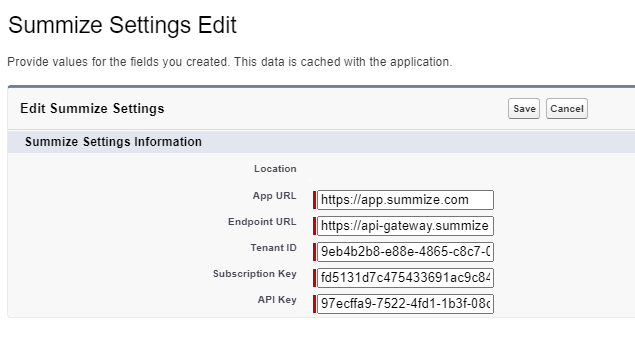
These are now the global settings used by Summize for all v2 components (Summize App and all Summize page widgets).
Updating the Summize Widget on your Salesforce Pages
- Once installed, navigate to the entity that you previously installed V1 (Accounts and/or Opportunities), click “Edit Page” to edit the page and drag on required Summize widgets from the Custom section at the bottom of the left hand panel:
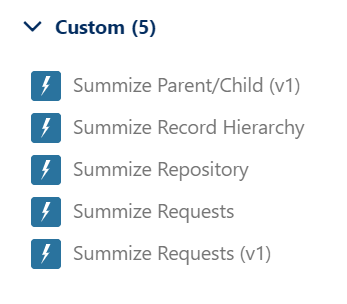
Summize Widgets
Below is an explanation of each of the Summize widgets now available to you:
Summize Record Hierarchy: Available on Accounts only
This widget lists any Requests or Repository records that are associated to any Salesforce Opportunities in the Account's hierarchy. See example below:
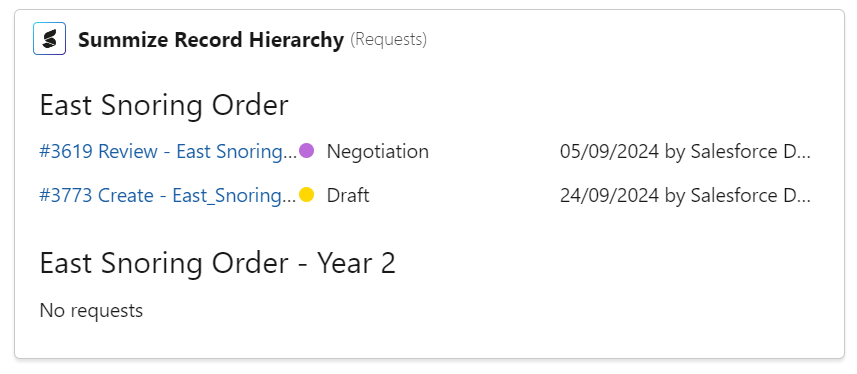
When placing this widget on the page, use the 'Area' dropdown on the right hand panel to specify whether you would like the widget to be associated with Requests or Repository (you can have one of each on the Account page if desired - simply place the widget twice and specify a different area for each):

Summize Repository: Available on Accounts and/or Opportunities
This widget will list any Repository contracts that have been linked to the Account/Opportunity (see instructions here). See example below:
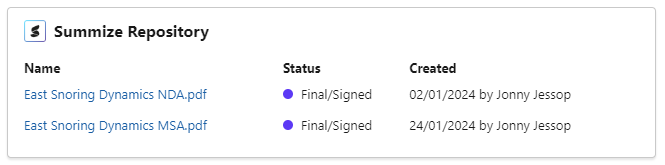
Summize Requests: Available on Accounts and/or Opportunities
This widget allows users to generate Requests and view any existing Requests related to the object. See example below:
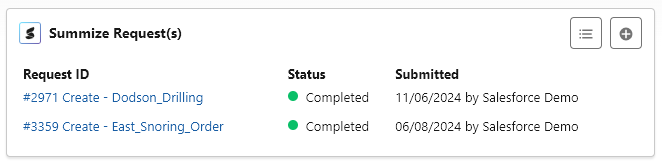
Summize Requests (v1) and Summize Parent/Child (v1): Legacy versions of the Requests widget and Parent/Child (hierarchy) widget, we recommend Salesforce Admins to remove these widgets if you already have them configured in your Account/Opportunities page, and replace with the updated versions listed above.
Note: We recommend placing the new widgets and submitting a test Request, before removing the legacy V1 widget.