
- Inbox
- Inbox Integrations
Create an email integration with the Summize Inbox
By setting up this integration, you will be able to forward/send emails with contracts attached into the Summize Inbox.
Setup available to Admin users only
- First, you must generate your Inbox email address. Head to Summize > Integrations > Scroll down to Email.
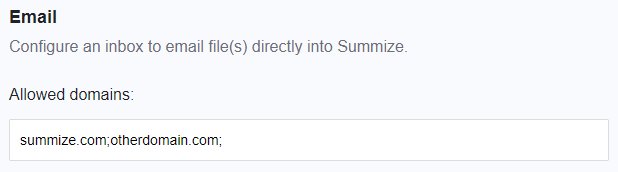
- Add your company domain to the Allowed Domains text box. If you have multiple domains, you can separate the list using semicolons:
- Scroll to the bottom of the page and click Save.
- Scroll back down to Email and your Inbox Address will have been generated.
- The generated email address will look something like 87e3bc5e-0b10-3221-7ecd-08dc11f1a0f7@notifications.summize.com. We advise creating an email alias that is more easily remembered by your colleagues! Get in touch with your IT team to set this up. We have created a guide for Exchange here: Adding the Summize Inbox to your Exchange/Outlook