
This article explains how to use the Summize Repository Agent to query and extract insights from your signed contracts
Skip to:
Introduction
How to access the Repository Agent
How to ask a question
Information available to the Repository Agent
Understanding the response
Providing feedback
Introduction
The Repository Agent specialises in answering questions about a signed contract in the Summize Repository, so you can retrieve critical information in seconds. Questions can be asked about one contract at a time.
Here are some examples Ask SIA can help with:- “Do we already have an NDA in place with [Partner]”
- “When does [Supplier]’s contract expire, and what’s the notice period?”
- “What payment terms were agreed with [Customer]?”
How to access the Repository Agent
Ask SIA can be accessed via:
- The Summize web application
- Outlook & Gmail integrations
- Teams & Slack integrations
Summize web application:
Click the Ask SIA button in the top right of the screen:

Outlook & Gmail:
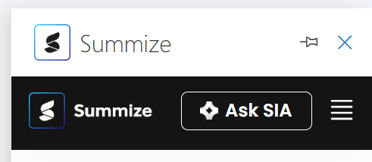
Click the Ask SIA button in the top of the add-in:
Teams & Slack:
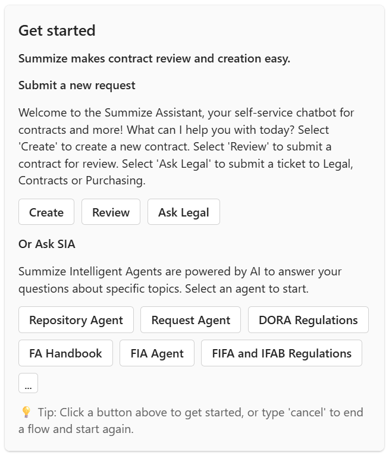
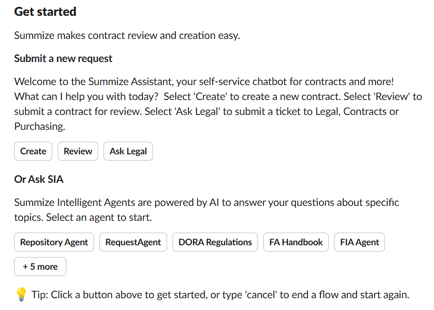
When opening the Teams or Slack chat bots, you will see a section for Ask SIA at the bottom of the 'Get started' message.
In Teams:
In Slack:
How to ask a question
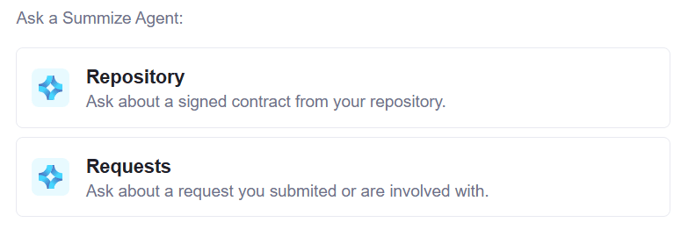
Once you have accessed Ask SIA, select 'Repository Agent':
Type your question:

The Repository Agent can answer questions about a single contract at a time, such as "When does our MSA with Summize expire?". The Repository Agent cannot answer questions about multiple contracts at a time, for example "What are the average charges across all of our MSAs?"
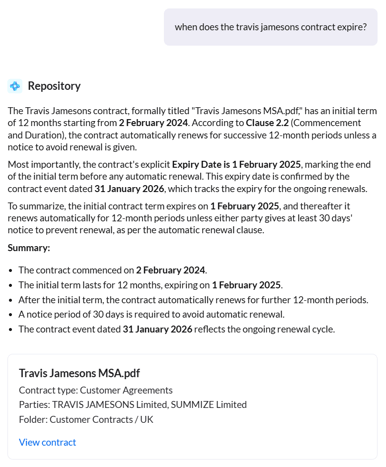
Based on your question, the Agent will scan all the documents you have access to in the Repository to find a matching document.
If it finds one match, the Agent will respond to your question straight away:
If it finds multiple matching contracts and isn't sure exactly which one you're referring to, it will present some options first:
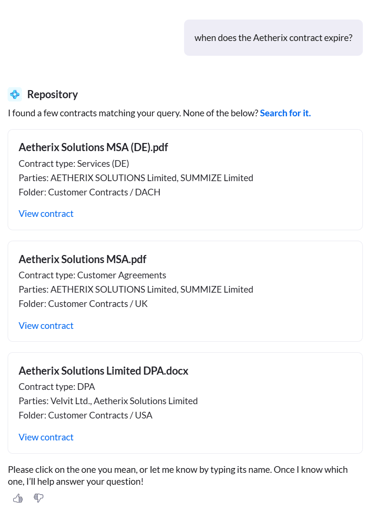
If you can't see the exact contract you had in mind within these options, click 'Search for it' instead, and you will be presented with a mini table view to search for the appropriate contract first:
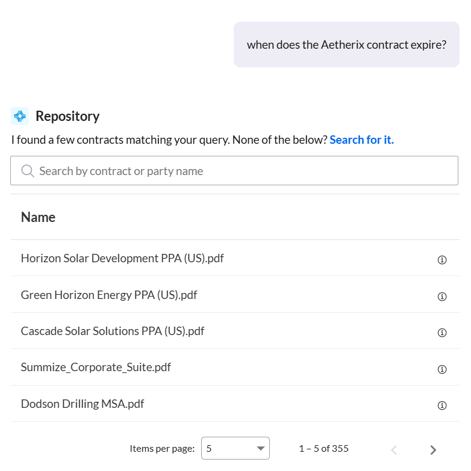
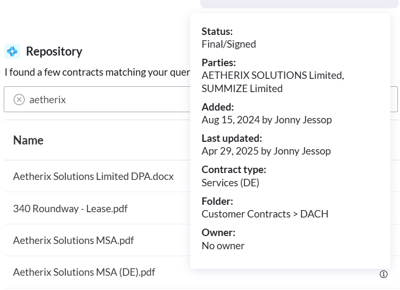
Use the search bar to find the contract, and you can click the (i) icon on the right hand side to verify you've selected the correct one:
The Agent will now answer your original question:
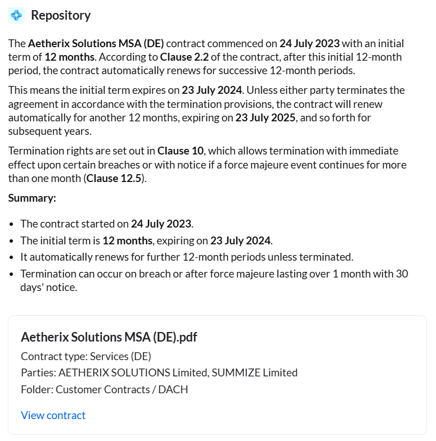
You can continue asking questions about the current contract in this thread, or switch to a different contract at any time. To start a conversation about another contract, either enter your new question within the same chat window or click the "New chat" button at the top of the page.

Note: Starting a new chat will remove the previous conversation history.
Information available to the Repository Agent
The Repository Agent has access to the following data to help locate the right contract:
- Contract name
- Contract type
- Parties
The Repository Agent has access to the following data to help answer your question:
- The full OCR-extracted contract text (including text from linked documents)
- The clause summary
- Contract information: the owner, status, contract type, folder, date added/last updated, parties
- Custom fields
- Tasks
- Conversations
- Calendar events
- Attachment information (filename and date added - not their contents)
Understanding the response
Beneath each response the Repository Agent provides, you will see a card which states the contract name, contract type, extracted parties, and the folder it's stored in.
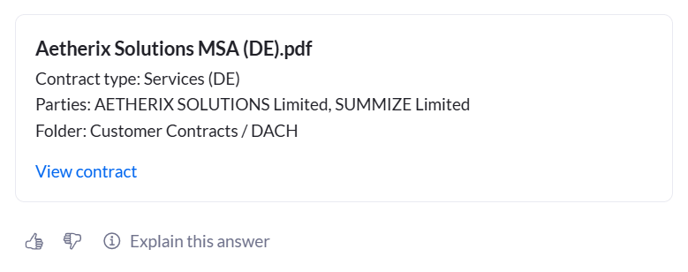
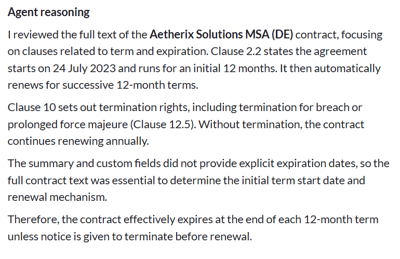
To understand why the Repository Agent provided a certain response, click 'Explain this answer' beneath the contract card. This will open a panel which outlines the Agent's reasoning. Here, the Agent will outline where it found the answer and why it came to that conclusion:
If you would like to verify any of the information yourself, the contract card also includes a link to view the contract. Clicking this will open the Repository document in a new browser tab.
Providing feedback
Beneath the contract card, you will also see thumbs up/down icons:

Clicking either option will present an open text box where you can provide more context:
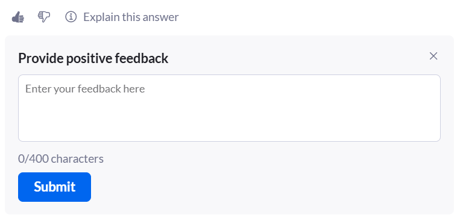
This feedback can be viewed by both your account's Power users, to help understand how useful the wider business are finding the responses, and by Summize, so we can use your feedback to assess and continually improve the Agent's reasoning.
Note: Your data is never used to train or retrain the Agent or any underlying AI models. Summize may review feedback trends (e.g., frequency of thumbs up versus down) to identify areas for improvement, but all analysis is done within our secure environment and does not involve sharing or reusing your contract data outside your tenant.