
- Word Add-In
- How to install the Word Add-in
How do I install the Word Add-in?
Here's how to install the Summize add-in in Microsoft Word
To download the Word Add-in follow these simple steps:
- Open MS Word and go to Home > Add-ins on the top panel.

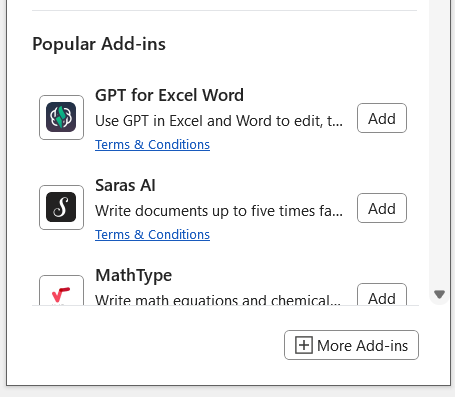
- Click the Add-ins icon and click on 'More Add-ins':
- Type Summize in the search bar and select the appropriate add-in:
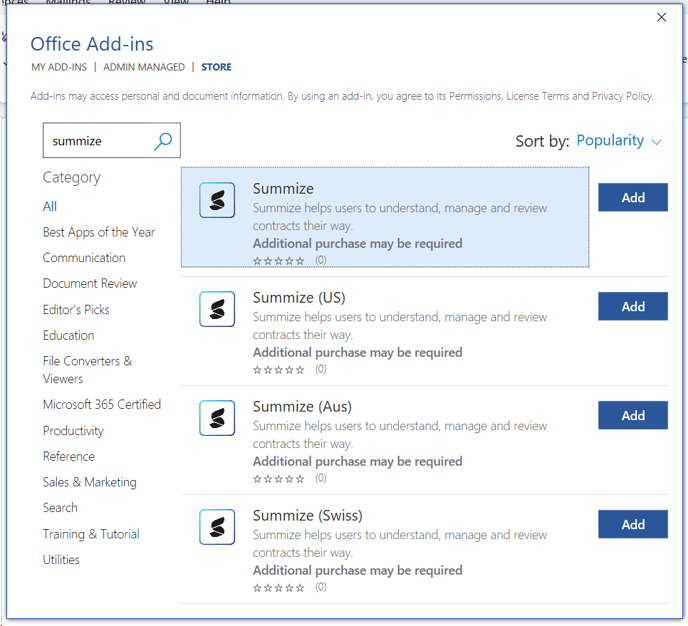
Note: if you're not sure which to select, check the URL you use to access Summize:
URL Add-In app.summize.com Summize app-us.summize.com Summize (US) app-aus.summize.com Summize (Aus) app-ch.summize.com Summize (Swiss) app-uae.summize.com Summize (UAE) - Summize will now be live in your Home tab on the right hand side.
