
Follow this guide to understand how to lock Request Template fields that are mapped to fields in Salesforce, Jira or HubSpot
Setup available to Power and Power Pro users
Introduction
Locking mapped fields will prevent the end user from editing any values that have been mapped from an external record (e.g. a Salesforce Account, a HubSpot Deal or a Jira Ticket) when submitting a request via an integration.
For example, if your Create Template maps to an opportunity value property on a Salesforce Opportunity, the user will not be able to edit that contract value when creating a draft order form via Summize.
This ensures data accuracy by keeping key information consistent between systems and preventing manual errors or overrides. It also helps maintain compliance with your source-of-truth records, reducing the risk of discrepancies that could impact reporting, approvals, or downstream processes.
How to Enable
This feature is enabled on a template by template basis. This allows you to enable the feature where it's most appropriate, whilst keeping some templates unlocked if necessary.
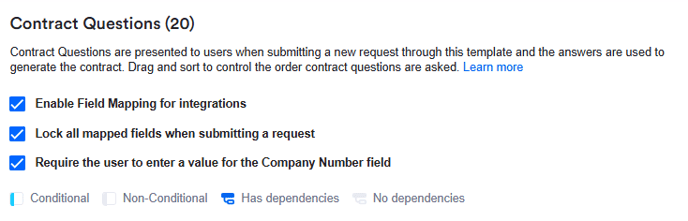
The setting is located at the top of the Contract Questions and Template Questions pages in Requests > Templates:

Contract questions (Create only):
Template questions (Create, Review and Ask Legal):
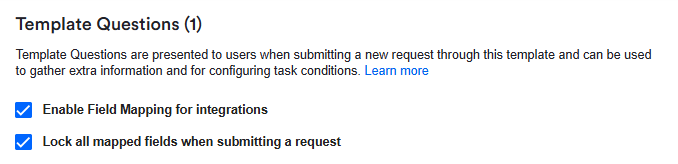
Before enabling field locking, you must first tick 'Enable Field Mapping for integrations'.
How it Works
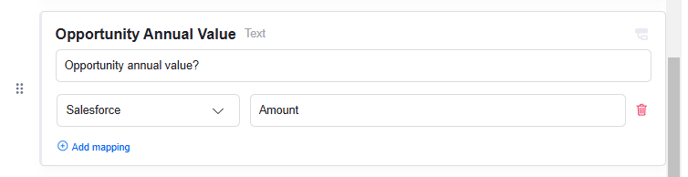
Once enabled, it will apply to all questions that have a mapping applied:
In the legal front door integration (Salesforce, HubSpot, Jira), a field which is locked will appear like this:
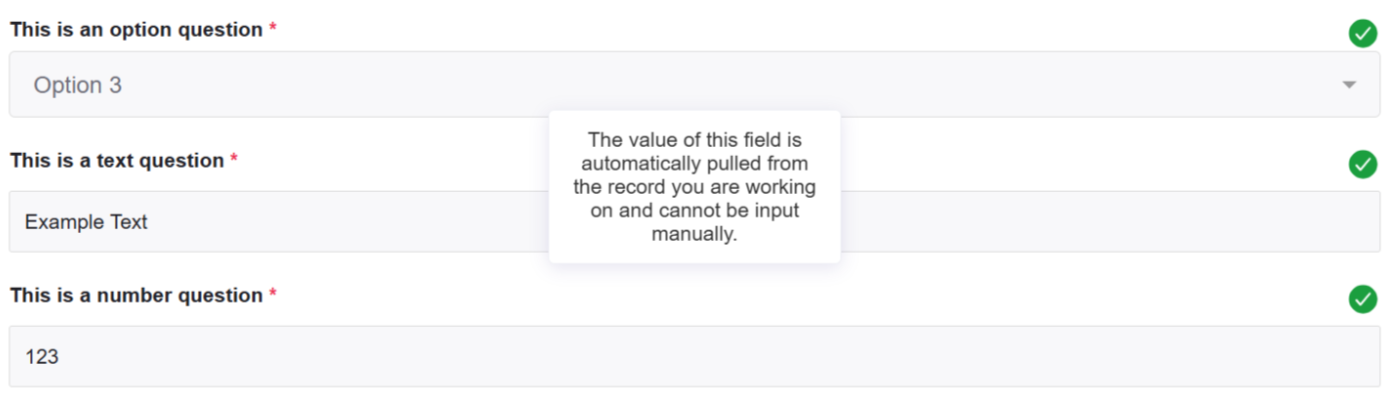
The field will be greyed out and cannot be edited.
Any questions in the template that do not have a mapping applied can be manually edited as normal:

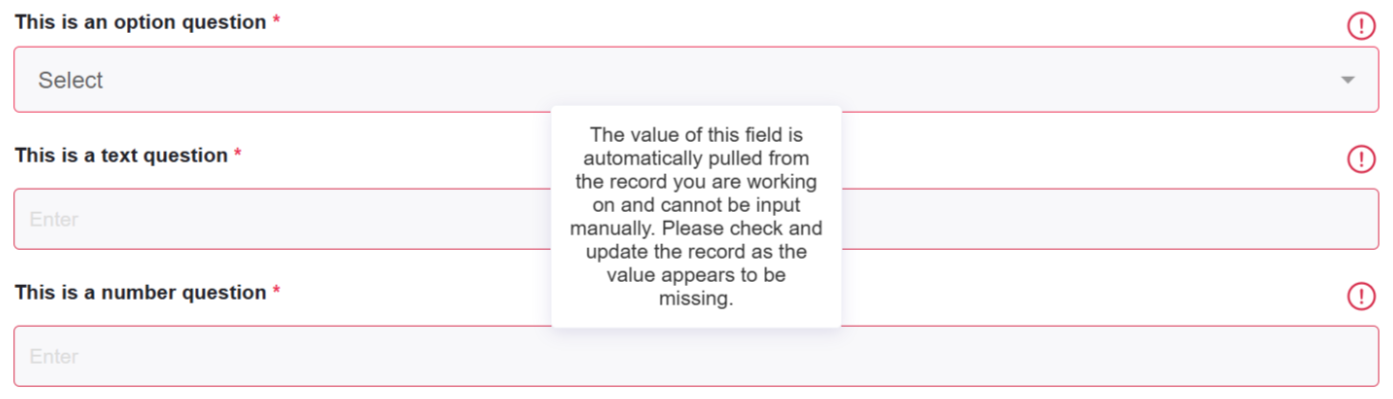
If locking is enabled, a field is mapped, but the field is empty (i.e. the value doesn't exist on the record in Salesforce, HubSpot, Jira), the missing data must be added in the external system before the request can be submitted:
This ensures that any data approval processes in the external tool are followed first, maintaining accuracy across systems.