
How to export Repository data to CSV
Export key information about your signed contracts such as clause data and calendar event data into a single CSV spreadsheet, directly from the Summize Repository.
To Export to CSV, follow these simple steps:
Selecting your Contracts
- Navigate to the Repository Table view.
- You can either export data from a selection of contracts, or export data from all contracts in your Repository.
- If you'd rather export information about all your signed contracts (instead of a select list), simply click the "Export to CSV" button at the top right hand of the page (no need to select contracts first).
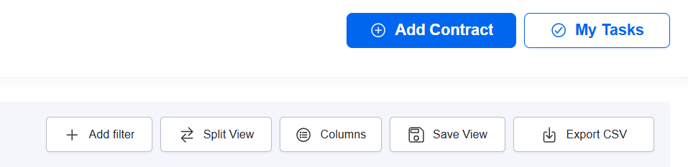
- If you'd rather export information from a selection of contracts, first locate the contracts you want to export data from in the table. Use the table filters to help you find the contracts you want to export.
- Select each contract by clicking on the checkbox on the left side of the row.
- Click on the ‘Export selected to CSV’ button that has appeared above the table to the right.
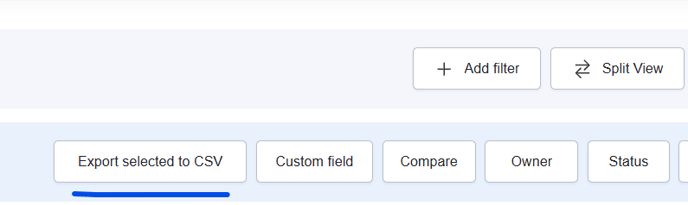
- In either scenario, once you have clicked the button, you will see the following pop-up, where you can select the type of export you'd like:
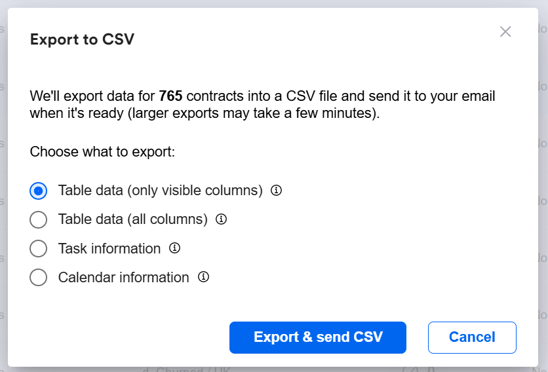
- Once you have made the appropriate select, click 'Export & send CSV'. Wait a few moments for your Excel file to be emailed to your inbox. Depending on the size of your Repository, this could take a few minutes.
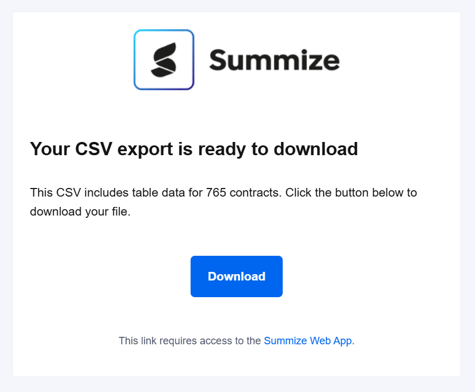
- The email will include a download button, as shown below. When clicked, Summize will verify your user in your browser, and once verified, the download will begin.
Export Types:
Table data (only visible columns): this export will include a row per Repository contract, and will include data for all the columns currently visible in your Repository
Table data (all columns): this export will include a row per Repository contract, and will include all data for all the columns in your Repository, whether currently visible or not.
Task information: this export will include a row per Repository contract task, and will include information such as due date, assignee(s), task status, notes and completion notes.
Calendar information: this export will include a row per calendar event (past and future), and will include information such as date, notice period (if it's a termination date), assosciated clause (if relevant) and any custom reminders.