
Use this guide to understand which permissions for Collaborator & Collaborator Pro Users can be edited by account admins
Setup available to Admin users only
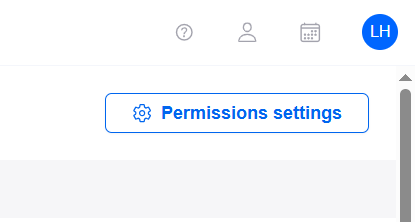
Certain standard permissions can be disabled for Collaborator/Collaborator Pro Users by admin users. To access these permissions to make changes, go to Users & Permissions, and click Permissions settings in the top right of the screen:
The below panel will open, allowing you to tick/untick permissions where appropriate:
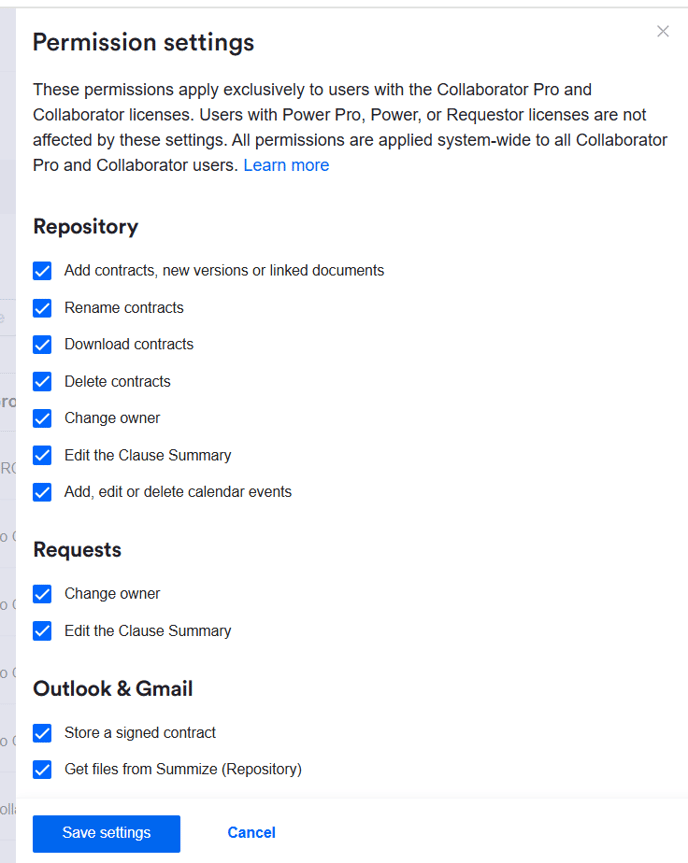
Once the necessary edits have been made, click 'Save settings'.
Note: Any changes made here will affect all Collaborator and Collaborator Pro users in your account.
Repository Settings
- Add contracts, new versions or linked documents: unticking this option will prevent Collaborator type users from uploading new documents, whether master, new version, or linked, to the repository via the web app.
- Rename contracts: unticking this option will prevent Collaborator type users from renaming contracts in the repository.
- Download contracts: unticking this option will prevent Collaborator type users from downloading repository contracts via the web app.
- Delete contracts: unticking this option will prevent Collaborator type users from selecting a contract or multiple contracts in the repository table view and deleting.
- Change owner: unticking this option will prevent Collaborator type users from changing the contract owner, from either the repository table view or the contract view.
- Edit the Clause Summary: unticking this option will prevent Collaborator type users from making edits in the contract's clause summary - either editing summaries, deleting summaries, or adding new bullet points.
- Add, edit or delete calendar events: unticking this option will prevent Collaborator type users from making edits to or deleting existing calendar events, and from manually adding new calendar events.
Requests Settings
- Change owner: unticking this option will prevent Collaborator type users from changing the request owner, from either the request table view or the individual request view.
- Edit the Clause Summary: unticking this option will prevent Collaborator type users from making edits in the request's clause summary - either editing summaries, deleting summaries, or adding new bullet points.
Outlook & Gmail Settings
- Store a signed contract: unticking this option will prevent Collaborator type users from being able to store a contract in the repository via the Outlook and Gmail add-in. Note, if this is ticked/enabled but the permission 'Add contracts, new versions or linked documents' above is unticked/disabled, users will be able to upload contracts via Outlook/Gmail, but not the web app. And vice versa; these permissions are independent from each other.
- Get files from Summize (Repository): unticking this option will prevent Collaborator type users from attaching a repository contract to an email via the Outlook and Gmail add-in. Note, if this is ticked/enabled but the permission 'Download contracts' above is unticked/disabled, users will be able to attach contracts via Outlook/Gmail, but will not be able to download the files via the web app. And vice versa; these permissions are independent from each other.